A company information system that saves hours of admin work
We designed and built a company information system that brings invoicing, banking, documents and the accountant into one environment, saving small businesses and freelancers hours of monthly admin work.
Information
- Project type
- Web based information system (multi-tenant)
- What we delivered
- Product design, UX/UI design, full-stack development and infrastructure
- Industry
- Fintech, accounting, B2B
- Status
- In production
About the system
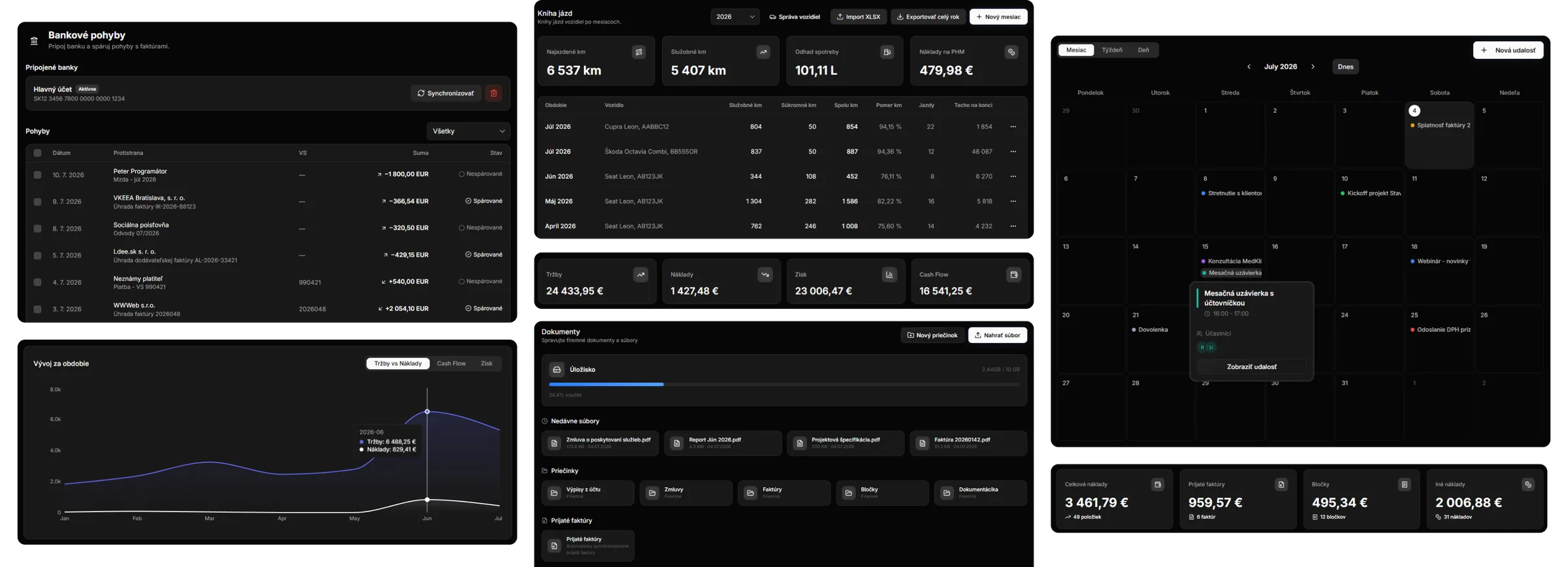
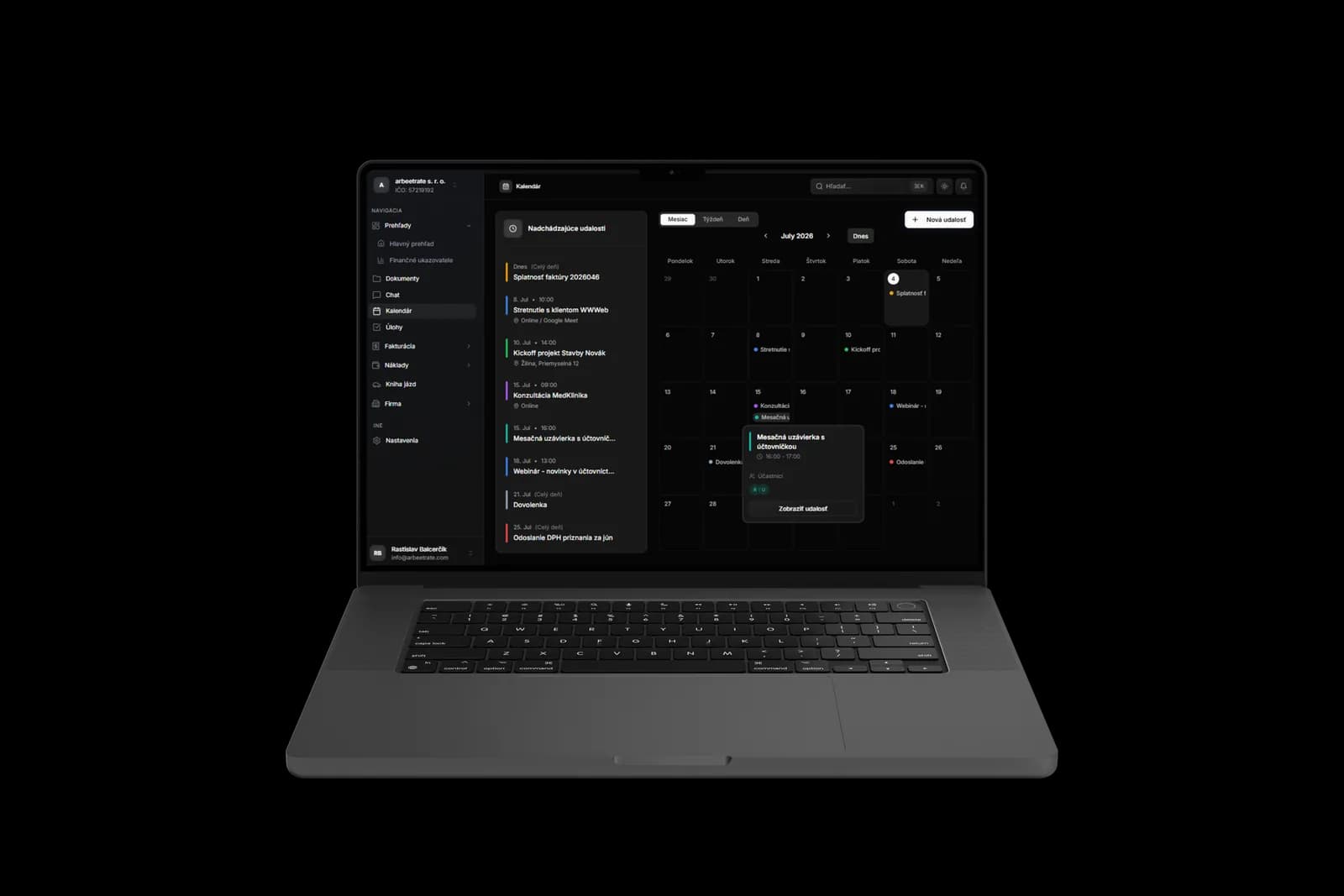
It is a solution for small companies and freelancers who find everything they need in one place: invoicing, banking, documents and collaboration with their accountant. Instead of juggling an invoicing app, Excel, internet banking, cloud storage and email threads with the accountant, they get a single environment where everything connects.
The system is multi-tenant from the ground up. One accountant serves several companies, and every company keeps its data strictly separated. The usual chain of “export it, email it, upload it somewhere else” simply does not exist here.
The challenge
A business owner in Slovakia spends a disproportionate amount of time on admin work that creates no value. Our analysis identified five recurring problems:
- Fragmented tools. Invoicing, banking, documents and communication with the accountant live in five different apps that do not talk to each other.
- Manual retyping. Every incoming invoice and receipt gets retyped line by line, including company IDs, tax IDs, amounts and payment symbols. A reliable source of typos.
- Handover to the accountant. The end of the month means exporting, renaming, zipping and emailing documents that are easy to lose in an inbox.
- Mileage log outside the system. Vehicles and trips are tracked in yet another spreadsheet or a separate app, again detached from the rest of the admin work.
- Local specifics. Prefilling company details from the business register or connecting to a Slovak bank is something foreign tools do not cover.

How we approached it
The market does not need another invoicing app, so we built the system around three principles:
- A document has a lifecycle, not just an existence. Quotes, proformas, invoices and credit notes all carry states and relationships to each other. It is not a folder of PDFs, it is one coherent process.
- Data is entered once, ideally never. Wherever possible we pull it from the business register and the bank, or let AI extract it. Typing by hand is the last resort.
- The accountant is a user, not an email recipient. Two roles and real collaboration inside the system were part of the plan from day one.
The solution
Overview: the whole company in one place
After signing in, the business owner has the whole company under control in one place. The system summarises the financial indicators for the current month (revenue, expenses, profit and cash flow) against the previous month, together with the operational numbers that need attention: unpaid amounts, overdue invoices and open tasks.
The same screen also holds overviews of recent documents on both the income and the expense side, documents, upcoming calendar dates and tasks. A new invoice, receipt or incoming invoice is created straight from the quick actions, with no clicking around.
An invoicing cycle where everything connects
At the core sits a whole family of documents that fit together: quotes, proformas, orders, invoices and credit notes, plus incoming invoices, receipts, expenses and a price list. Every document has its own states, numbering and signed PDF generation, and converts into the next one in a single click. Other tools cover invoicing details too, so we invested our energy elsewhere: in AI, banking and collaboration with the accountant.
AI that takes the manual work away
We deployed AI deliberately in the two places that generate the most manual work.
1. Document extraction (OCR). The business owner photographs a receipt or uploads an incoming invoice and the system pulls structured data out of it: supplier, company and VAT IDs, issue, due and delivery dates, amounts, VAT rates, variable, constant and specific payment symbols, account number and individual line items. For PDFs we process the text, for photos and scans the image. The model understands documents in several languages, so the prefilled fields only need a quick check. If something goes wrong, a single click triggers a re-extraction.
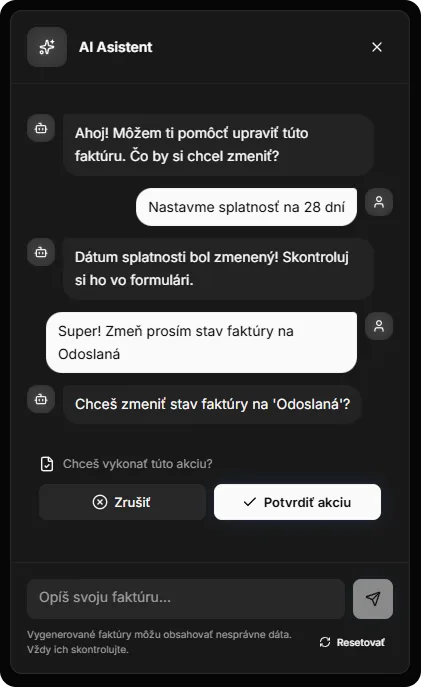
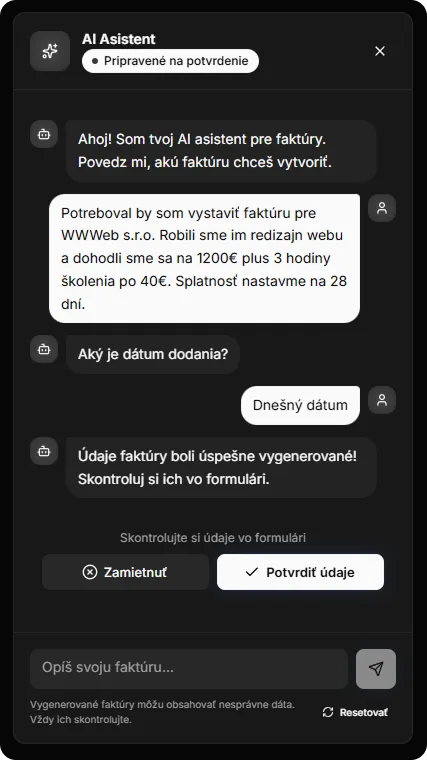
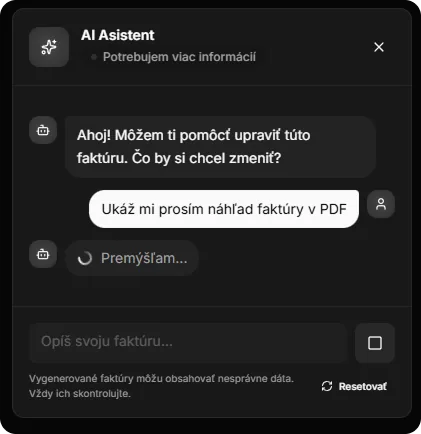
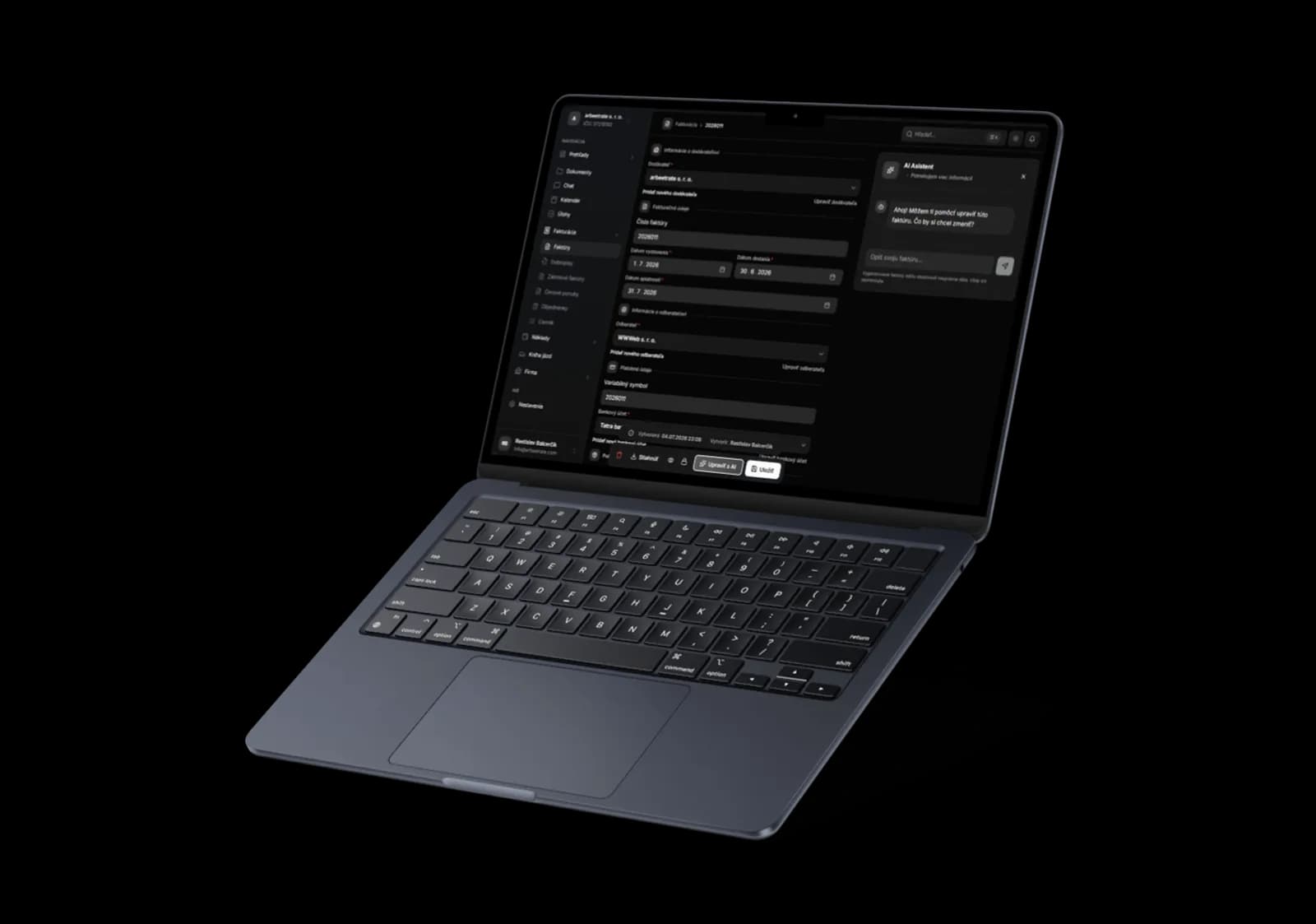
2. Conversational invoicing assistant. An invoice does not have to be clicked through a form, it can be written as a sentence. The assistant is not just a text generator, it is an agent that uses tool calling (typed function calls that we validate and execute against our domain logic on our side) to drive the conversation all the way to a finished document:
- when a value is missing (the customer, for instance), it asks for it,
- it can look up a customer or supplier in the public registers right inside the conversation and fill in their details,
- and it triggers actions: PDF preview, printing, status changes, saving the invoice.
It also works in an editing mode on top of an existing invoice (“change the quantity to 3 and add a 20 % discount”). It keeps the context of the whole conversation, and every step passes the same checks as a regular user action, so nothing gets hallucinated into the database.

Banking inside the system
Through PSD2 open banking the system connects straight to the bank, so the business owner sees real transactions inside the app without importing statements. Matching runs on top of those transactions:
- an incoming payment is matched to an issued invoice, which is automatically marked as paid, including the payment date,
- an outgoing payment is matched to an incoming invoice or a receipt,
- any transaction can be imported in one click as an expense.
Mileage log and the office around the accounting
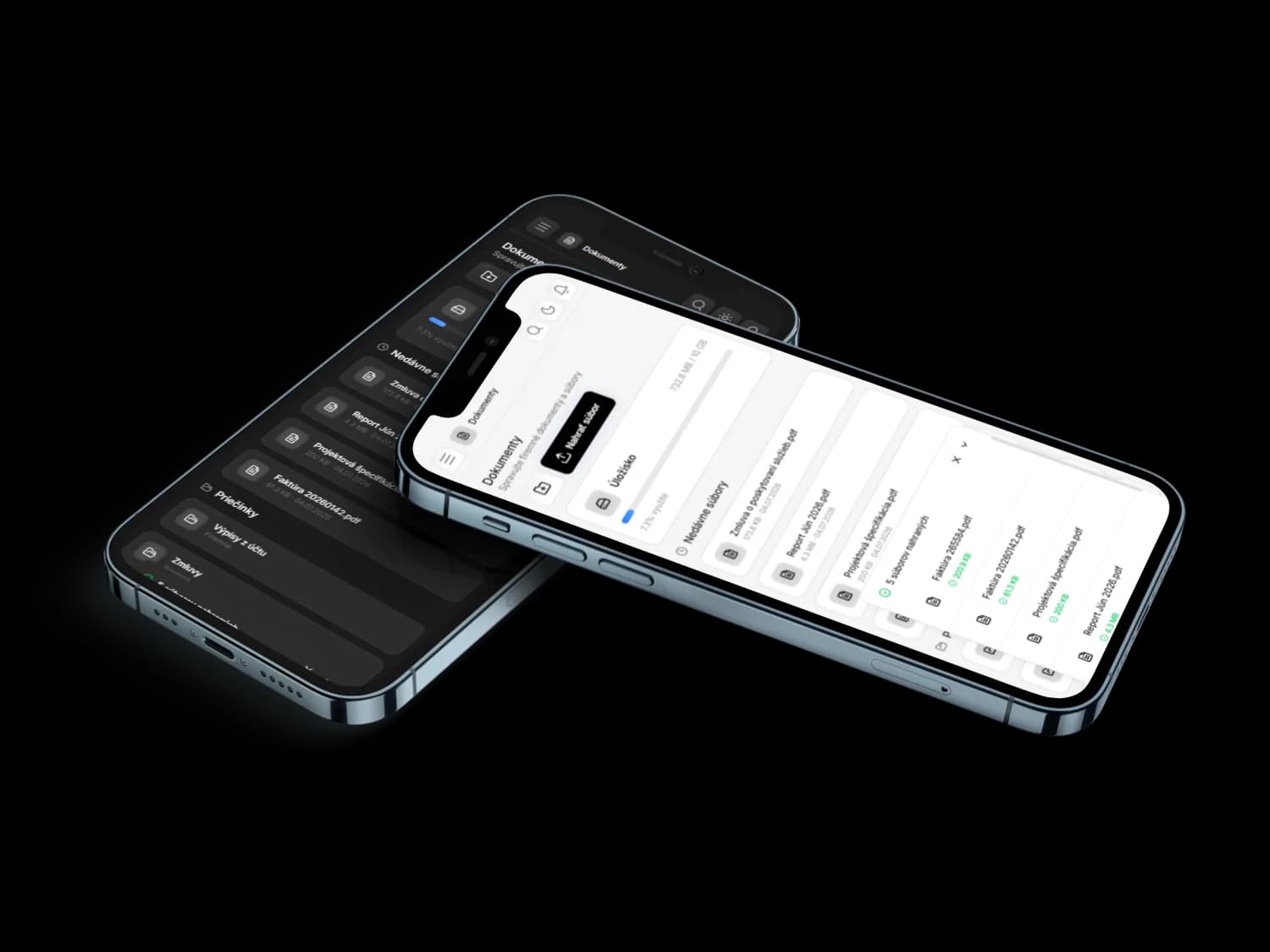
A full mileage log (vehicles, periods, trips, monthly summaries, XLSX import and export). Around the accounting core we added the tools that hold a company together: a document system with folders, sharing, archiving and bulk ZIP export, a calendar for deadlines and task management.
Business owner and accountant, working together
This is the part that ordinary invoicing tools ignore completely. Here the accountant is not the recipient of an email with an export, but a full user of the system. We built three things around that:
- Two roles, clear permissions. The company owner works with full rights, the accountant gets a mostly read-only access that prevents unwanted data changes. One accountant sees every company they manage in one place.
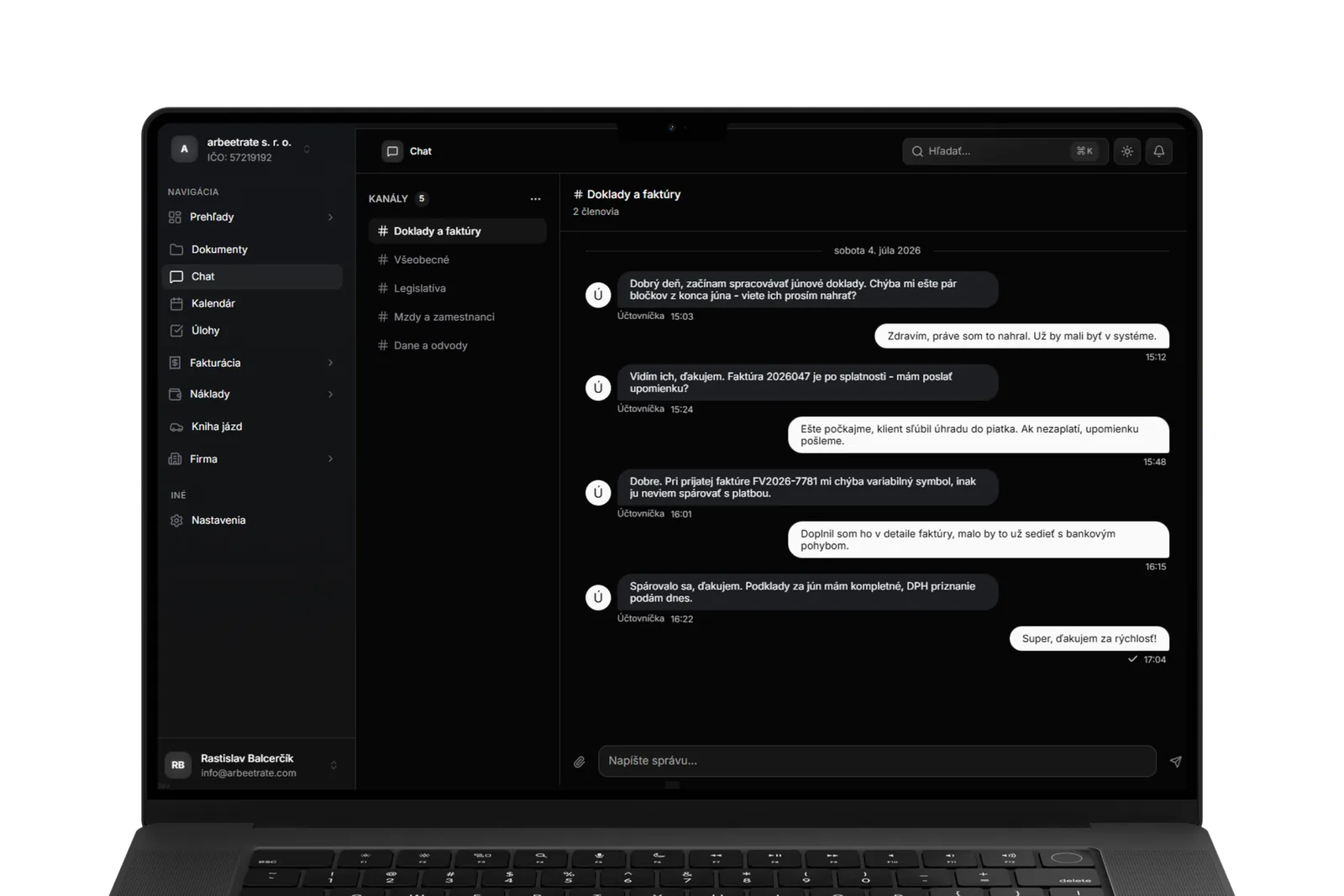
- Chat inside the system. The business owner and the accountant message each other in real time inside the system, in the context of specific documents. A question like “where is the April receipt?” gets resolved right next to that document instead of in a lost email thread. Instead of a relay of attachments, the conversation is tied to a specific company and its documents.
- The bank as a source of clean data. Because bank transactions are matched to documents and invoices are marked as paid automatically, the accountant receives reconciled records without chasing payments by hand.
Data protection and anonymisation
The system works with sensitive financial data, so protection was a priority from the very beginning.
- Anonymisation before anything reaches the AI. Before we send the text of a document to the AI, we replace the sensitive values in it with placeholder tokens: the company's own identity (name, company ID, tax ID, VAT ID) as well as identifiers such as IBAN, email, phone number and invoice number. The model therefore only processes anonymised text, and the real values are substituted back on our side after processing. The LLM provider never gets to see the actual data.
- Data isolation (multi-tenancy). Every company has its data separated, and every access is validated against that specific company.
- Our own infrastructure. We run both authentication and document storage ourselves, so the data never travels to third party SaaS providers.
What makes the system stand out
| Common tools | Our system | |
|---|---|---|
| Documents | Manual retyping | AI extraction (SK/CZ/EN/DE) straight from a photo or a PDF |
| Issuing an invoice | A form | A conversational AI assistant that also acts |
| Banking | Statement import | Live PSD2 link and automatic matching |
| Accountant | Email recipient | A system user with their own role and chat |
| Scope | One domain | The entire company admin in one place |
How we built it
The system runs on our own infrastructure, from authentication through document storage all the way to PDF generation. The reason is simple: for a tool that holds sensitive financial data we wanted full control over both the data and the costs, with no per user price tag. Heavy operations (AI extraction, PDF generation, bank synchronisation) run in the background, so the interface stays responsive.
The frontend runs on Next.js 15 and React 19, the backend on Node.js, Express and PostgreSQL. The AI features are powered by a large language model (LLM) from OpenAI, the bank connection by PSD2 open banking, real time chat by Stream Chat, and authentication plus multi-tenancy by self-hosted Better Auth.
Three decisions we are proud of:
- Our own authentication instead of Clerk or Auth0: data sovereignty, no per user fee and full control over the accountant and owner roles.
- AI only where it genuinely saves time. We deployed AI deliberately for document extraction and invoice creation, not as a marketing add-on.
- The accountant as a full user. We built collaboration with the accountant directly into the system instead of emailing exports back and forth.
The result
From zero we designed and built a working information system that brings a company's everyday admin together in one place. Instead of five disconnected tools and an email relay with the accountant, the business owner gets a single environment where:
- documents are created and flow into each other, from quote to payment,
- AI takes over both the retyping of documents and the issuing of invoices,
- bank transactions are visible right in the system and matched to documents with minimal manual work,
- the accountant works inside the system and communicates there instead of emailing attachments,
- and sensitive data stays protected even with AI in the picture.

Tech stack
The technologies the system is built on:
Have an idea for a product with a similar scope? Get in touch